The details behind the device.
Edit equipment names and record models, serials, ports, and site notes as you verify them.
 Get testing access
Android testing · iOS release in progress
Capture equipment, review what matters, and leave a record you can return to. Built for field technicians, MSPs, and AV installers.
New in Android testingFree manual reports and draft recovery, with AI assistance when you want a first draft.
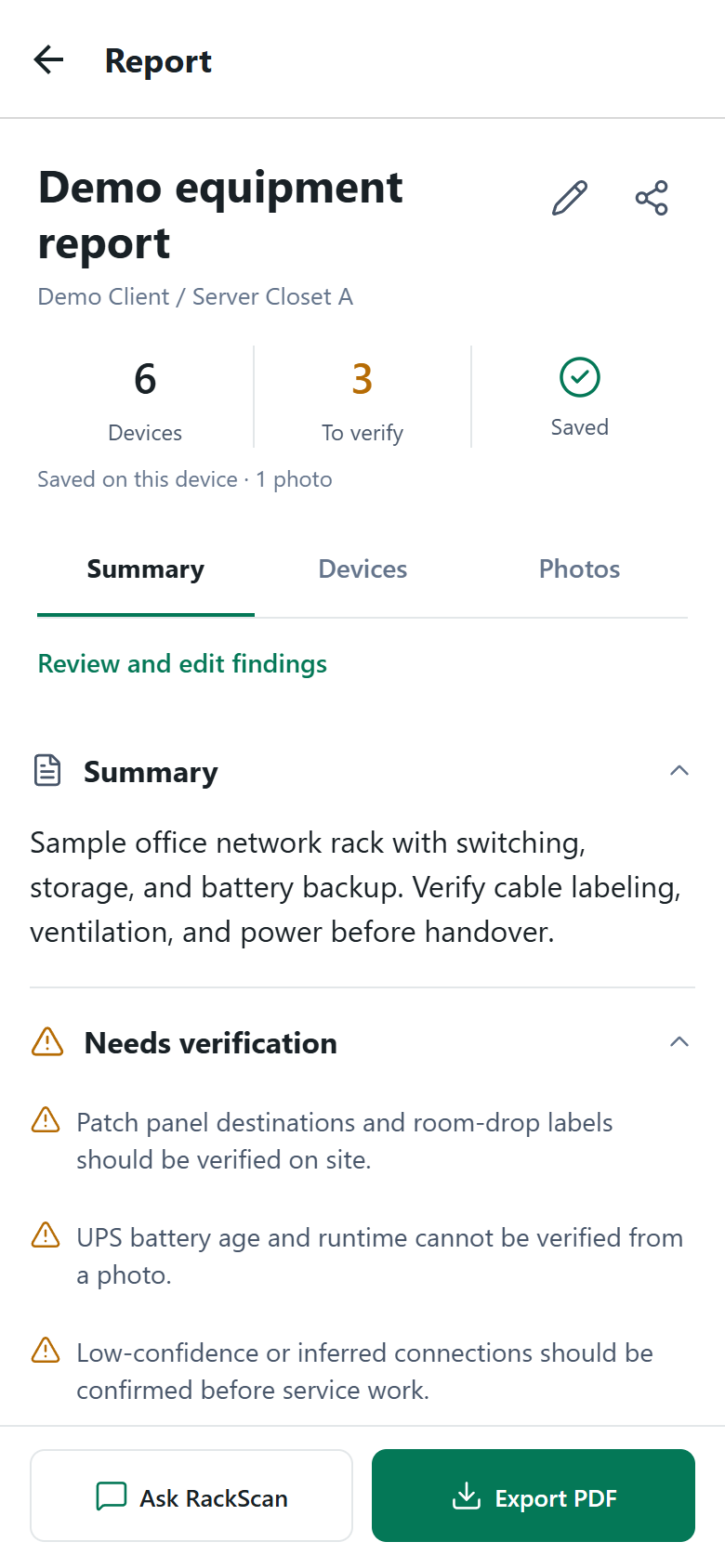
One connected workflow
Keep the equipment, the findings, and the handoff in the same story.
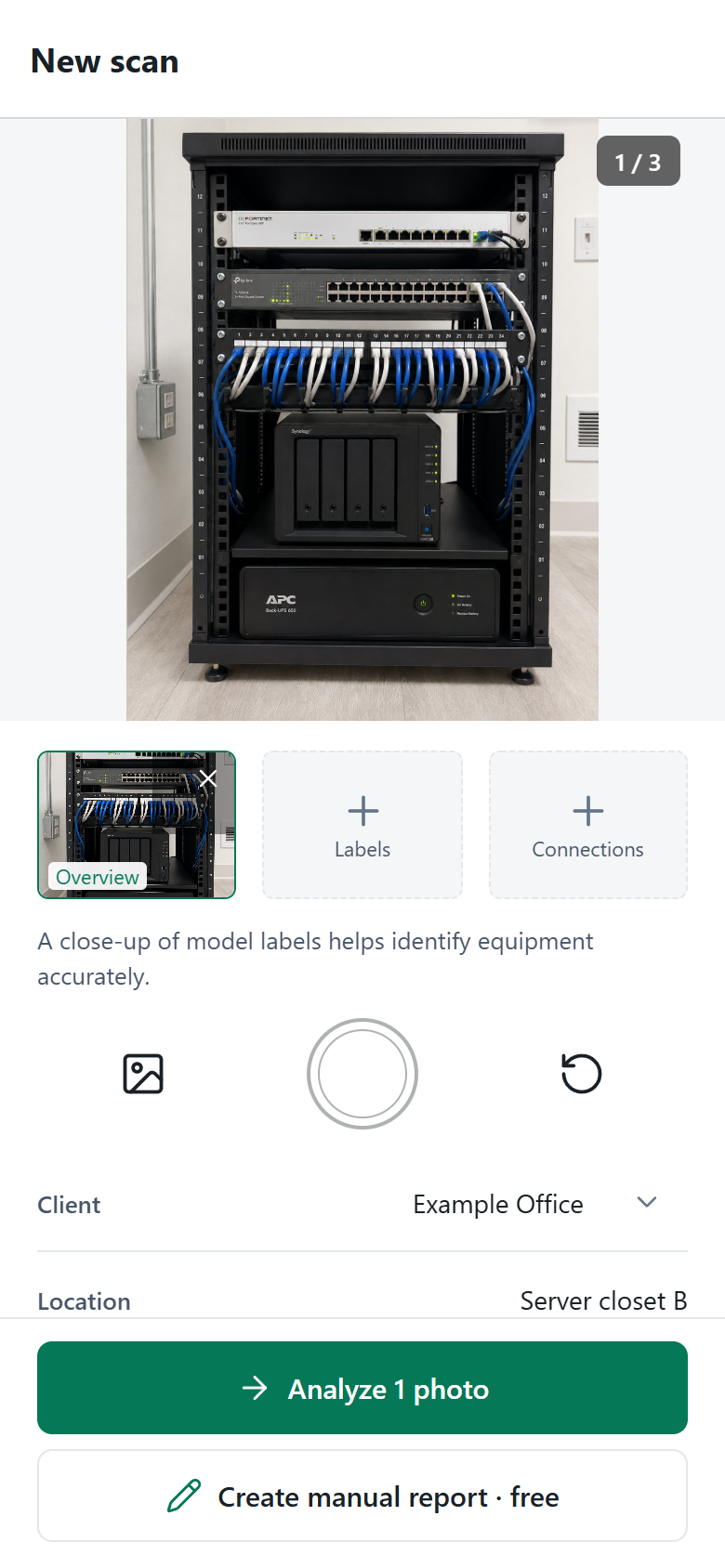
Take up to three photos. Add the client, location, and notes while you are on site.
Check device details, correct findings, and mark what still needs verification.
Bring inventory, connections, and technician notes into a readable field report.
Export a PDF, or create a browser link for a report in your signed-in workspace.
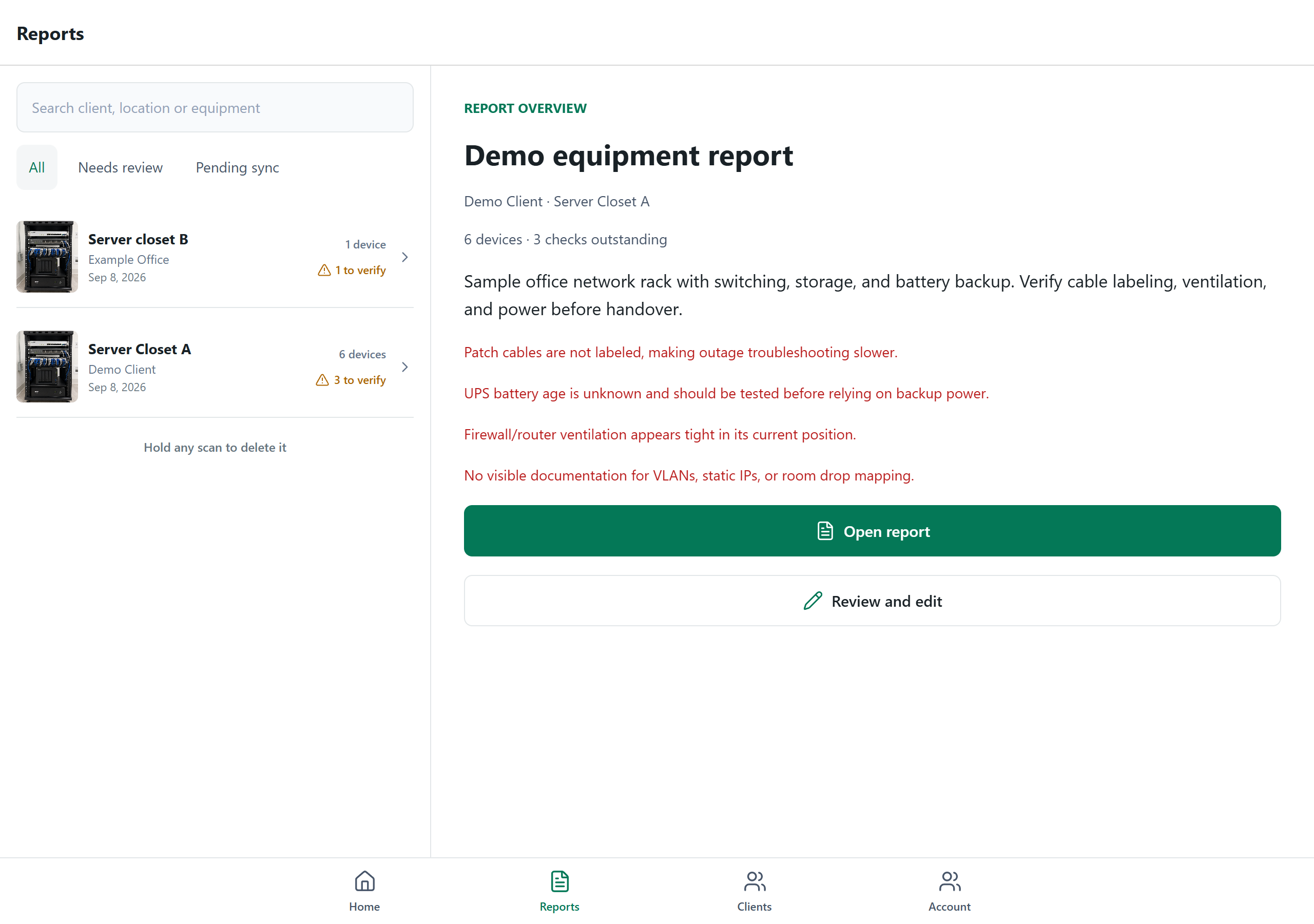
Find the saved report and client details before you head back to the site.
New in the Android test build
Start a manual report for free. Record equipment, add notes, and edit the details offline. Use cloud AI when you want help drafting an assessment from photos.
Create, edit, save, and export on your device without an AI request.
Analyze photos or ask questions about a report. Internet access is required; you review the findings.
Made for the handoff
Give the next technician more than a folder of photos. Keep the client, the equipment, and the work still to verify together.
Edit equipment names and record models, serials, ports, and site notes as you verify them.
Separate findings that need a closer look from checks confirmed by a technician.
Send a PDF or browser report. A recipient can read a shared link without installing RackScan.
See an illustrative report with inventory, findings, and verification notes, exported with the current app renderer.
Open sample PDFSimple scan packs
One-time packs. Purchased credits do not expire. Free manual documentation is included in the refreshed Android test build.
Start with 1 free scan. Eligible new users can create a workspace for 1 extra trial scan and 10 AI questions.
Request accessA few first jobs
$9.99USD · one time
A small project
$19.99USD · one time
Regular fieldwork
$79.99USD · one time
A busy schedule
$249.99USD · one time
Packs are purchased in the app where the store purchase flow is available. Prices shown are USD; local pricing and taxes may vary. No recurring subscription.
Field technicians, MSP technicians, IT consultants, AV integrators, smart-home installers, and low-voltage crews documenting equipment at a client site.
The refreshed Android test build includes free manual reports. Create a report, document equipment, edit notes, and export a PDF on your device without making an AI request. Cloud analysis, AI questions, account access, synchronization, and browser sharing require an internet connection.
No. RackScan handles the cloud AI service. You use the introductory allowance or buy scan packs in the app where purchases are available. Manual documentation in the refreshed Android test build does not use AI credits.
One analysis can include up to three photos from the same system: an overview, a label close-up, and a connection or power detail. Take them in the app or choose existing photos from your gallery.
Review AI findings before sharing them. A photo cannot establish hidden cable destinations, current configuration, power health, or every model number. Correct the record and confirm uncertain items with on-site evidence.
A PDF is an exported copy. A browser link lets anyone who has the link read the shared report without signing in, so send it only to intended recipients. Current browser links show the latest saved report and can be revoked. Private cloud photo synchronization is not currently available.
Android testing is underway. An iOS build has been uploaded, and public availability is pending. The refreshed manual workflow and screenshots on this page preview the newer Android test build; availability differs between builds. Contact us for current testing access.
Let’s talk
Want to try RackScan or ask a question? Leave your details and tell us a little about your work. We’ll use your email to follow up about your request.
Android testing underway · iOS public availability pending